When a sailing gets cancelled, how fast do your passengers find out?

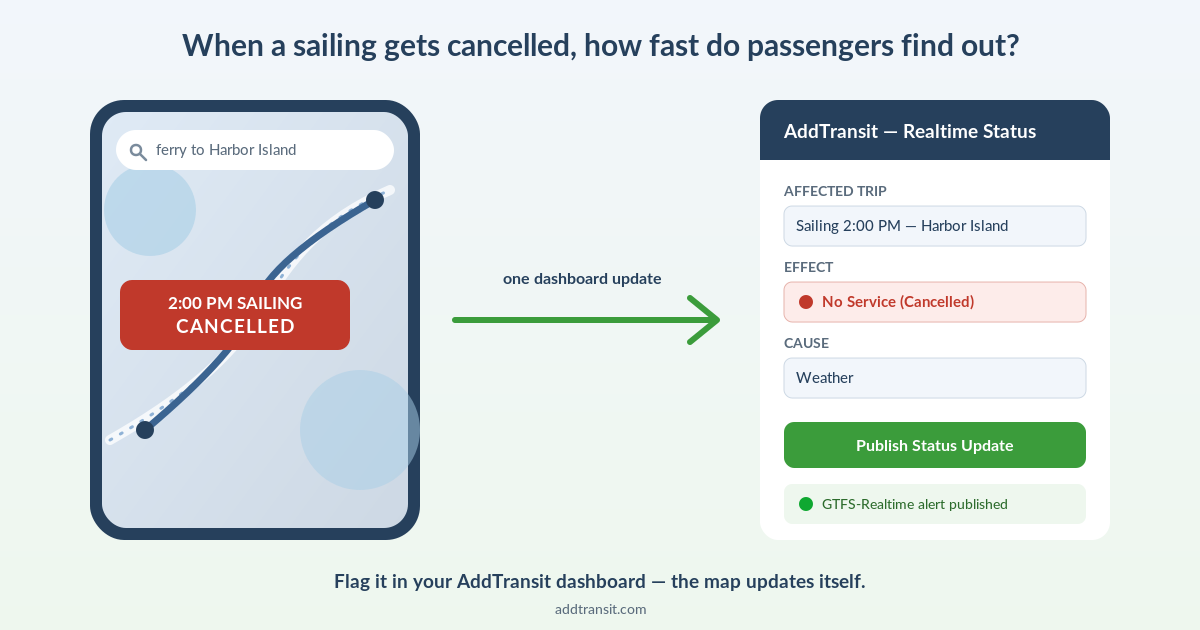
Split screen showing a cancelled 2:00 PM ferry sailing on Google Maps next to the AddTransit dashboard Realtime Status form publishing the same cancellation as a GTFS-Realtime alert

A storm rolls in and you cancel the 2pm sailing. You post it on Facebook. You update the notice board at the terminal. But the family already driving there is looking at Google Maps, which still shows the 2pm departure running on time — because your website and Google Maps have never talked to each other.

That gap, between “we cancelled it” and “the passenger found out,” is where ferry operators lose trust and take the angry phone calls.

Static GTFS vs. GTFS-Realtime, in plain English

Static GTFS is your timetable, published as a feed. It’s what puts your sailings into Google Maps, Apple Maps and other journey planners in the first place — someone searches “ferry to [island]” and your times show up. It’s set up once and updated when your schedule changes.

GTFS-Realtime is the live layer on top: “this specific sailing is delayed,” “this one’s cancelled,” “the vessel is here right now.” It updates continuously, and it’s the part almost no ferry-booking platform produces — which is exactly the part that matters most for a ferry operator.

Why this is a ferry problem more than a bus problem

Ferries are weather-exposed in a way scheduled bus routes usually aren’t. Cancellations and delays are routine across a season, not a rare exception. And a cancelled sailing strands people who are often already at the terminal, having driven there — the cost of stale information is higher than a bus you just catch ten minutes later. Add in seasonal or tidal schedule changes, and you’ve got exactly the conditions where a live feed earns its keep.

For a ferry operator, GTFS-Realtime isn’t telemetry for its own sake — it’s cancellation communication that reaches the passenger where they’re already looking, the map, without spending anything extra on ads or SMS to do it.

“But I already post cancellations on Facebook and our website”

Sure — and that reaches people who already follow you, or think to go check. It doesn’t reach the passenger who searched once, weeks ago, and is now mid-journey with the map open. That’s a different audience, and it’s one you can’t otherwise touch. A GTFS-Realtime feed also flows through to any other transit app or journey planner that consumes it, so one update multiplies out further than a single social post.

What it actually takes

You don’t hand-code any of this. In AddTransit, a cancellation or delay is flagged as a Realtime Status update from your dashboard — you choose what’s affected (a route, a trip, a stop) and why, and that becomes a real GTFS-Realtime Service Alert, the same standard Google Maps and other journey planners read. It’s a short form, not something you or your IT team have to touch. Behind the scenes, GTFS-Realtime feeds use a technical format called protobuf, the same one Google Maps requires — normally something you’d need a software engineer to produce.

AddTransit generates it for you automatically the moment you publish the update, so you get a real, spec-compliant feed without writing a line of code. It is a deliberate step from your dashboard rather than something that fires itself, though — so it’s worth building “flag the cancellation” into your actual weather-day routine, not assuming it happens automatically.

This is what makes AddTransit’s setup comprehensive: static GTFS, the live realtime layer, and ticketing all run from the same platform, on the same feed, under the same account. Your schedule, your live cancellation alerts, and your bookings are connected end to end — not stitched together from separate tools.

Is this for you?

If you run two sailings a day on a timetable that basically never changes, static GTFS alone is probably enough, and you don’t need to think about GTFS-Realtime any further. If your season is weather-driven and your phone rings every time the map is wrong, the realtime layer is the difference between passengers finding out from Google Maps and finding out from an angry voicemail.

See how a flagged cancellation becomes a live map update →

This post is written by the AddTransit team — we build the GTFS + GTFS-Realtime + ticketing platform described above, so take the framing with that in mind. The underlying gap between static and real-time GTFS is real whichever tool you use.
GTFS for Rural and Tribal Transit Agencies: What the 2026 NTD Requirement Means for You

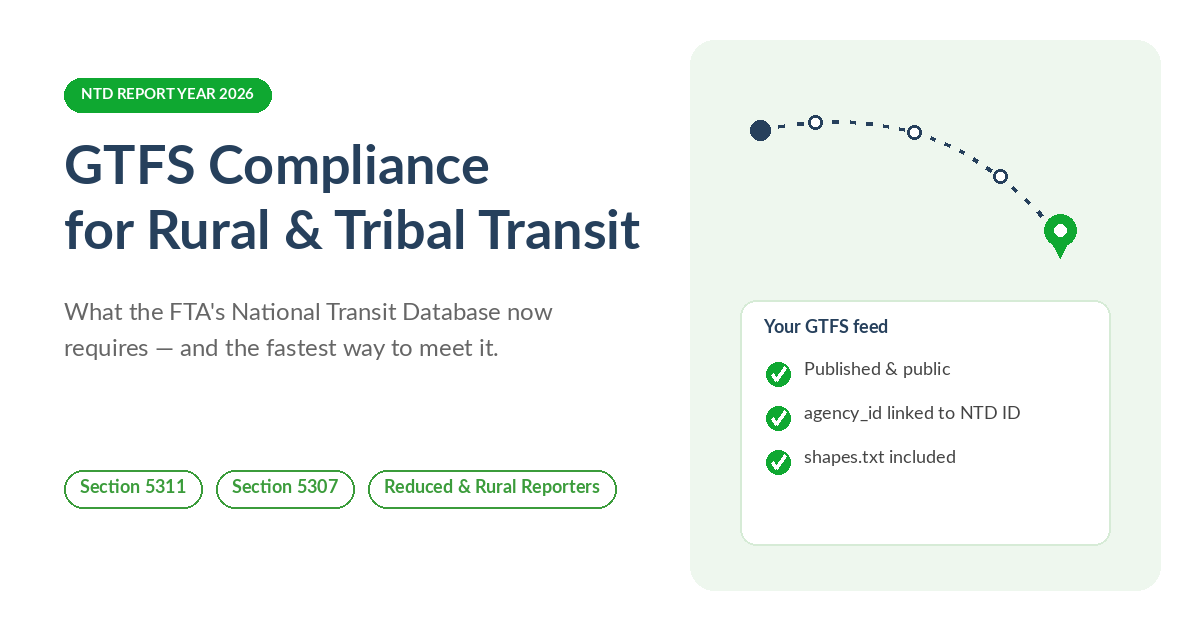
GTFS compliance checklist for rural and tribal transit agencies: published feed, agency_id linked to NTD ID, shapes.txt included

If you run a small public transit system in a rural county, or serve a tribal community, and your agency receives federal formula funding to do it, there is a compliance item landing this year that is easy to miss: the Federal Transit Administration’s National Transit Database (NTD) requires a public GTFS feed for your fixed-route service, and Report Year 2026 is when the newest technical requirements catch up with smaller reporters.

This is not a proposal or a “coming soon.” It is finalized. Here is what it actually says, what changed most recently, and what to do about it — whether or not you ever talk to us about it.

Who this applies to

If your agency is an NTD reporter — generally meaning you receive FTA Urbanized Area (Section 5307) or Rural Area (Section 5311) formula funding — and you operate any fixed-route service, including deviated fixed-route, then NTD requires a public, web-hosted static GTFS feed for that service, plus an annual certification that it is accurate. Demand-response-only operations are not on the hook for this particular requirement, though other NTD reporting rules still apply to them.

What changed for Report Year 2026

FTA finalized a batch of NTD reporting changes in a July 2025 Federal Register notice. Two of those changes tighten the existing GTFS requirement:

  • Your feed’s agency_id field now needs to cross-walk to your agency’s NTD ID (matching the P-50 form).
  • Your feed needs a shapes.txt file — the actual route-line geometry your vehicles drive, not just a list of stops.

Both take effect in Report Year 2025 for full reporters, and Report Year 2026 for reduced, rural and tribal reporters. If your agency reports on that schedule, this reporting year is when it lands on you.

The parts that are easier than they sound

A few things about this requirement are more forgiving than the compliance-deadline framing suggests. Only a static GTFS feed is required — FTA’s own NTD FAQ confirms GTFS-Realtime is optional, not mandatory. A shared regional feed satisfies the requirement as long as it represents all of your reportable service, so if a regional planning body already publishes a combined feed that includes your routes, you may already be covered. And FTA does not expect same-day updates every time a stop moves or a detour happens — what’s actually asked for is an annual certification, as part of your NTD reporting package, that the feed is accurate.

The part that actually trips people up

Stops and routes are a spreadsheet problem. shapes.txt is not — it is the literal line your vehicle drives, point by point, and building it usually means separate GIS software that most one- or two-person transit offices don’t have sitting around. It’s the part of a hand-built feed that most often gets left out or fails validation the first time an agency puts one together.

Where AddTransit fits — and where it doesn’t need to

If your regional MPO or transit association already builds and hosts a GTFS feed that covers your service, you are likely already covered. This isn’t a requirement you need to buy software to satisfy.

If you’d rather not hand-build route geometry in a separate GIS tool, this is exactly the part AddTransit’s GTFS Editor is built to make easy: a built-in route/shape editor lets you draw or import your route, and AddTransit generates a valid shapes.txt from it — then validates and hosts the finished feed for $15 per route per month, no setup fee to start building. If your NTD deadline is close and you’d rather send us a timetable than build anything yourself, the Setup-as-a-Service Basic package ($199) covers the whole job: import, build, validate and publish.

We’ve put the fuller checklist — what’s required, what changed, and both paths through it — on one page: GTFS Compliance for Rural & Tribal Transit Agencies.

The short version

If you take FTA Section 5311 or 5307 formula money and run fixed-route service, you need a public GTFS feed, certified annually, and as of this reporting year that feed needs an NTD-ID-matched agency_id and a real shapes.txt. You can build all of that by hand, but the route-line geometry is where most first attempts stumble — and it’s exactly the part we’ve built AddTransit’s GTFS Editor to make simple.

This post is informational, not legal advice. Confirm your agency’s specific reporting obligations with your assigned NTD analyst.

What’s new in AddTransit: June 2026 product update

What's new in AddTransit — June 2026 product update

We’ve been shipping steadily across AddTransit. Here’s a roundup of what’s new for transit, ferry and tour operators — and a look at what’s coming next.

What’s new

Go live with confidence

Before your public booking page goes live, AddTransit now guides ticketing and tour operators through a quick readiness check — connect Stripe, complete your business profile, and set at least one fare — so your page is fully ready to take real payments from the moment it’s live.

Import very large GTFS feeds in the background

Upload a large GTFS feed and AddTransit imports it in the background while you carry on working. You get a live status page, a choice of best-effort or strict validation, a skipped-row report, and an email the moment it’s done. It comfortably handles feeds into the millions of rows — validated at 1.7 million.

Full support for overnight and after-midnight services

The GTFS editor fully supports cross-midnight stop times (for example 24:30 or 25:10), so late-night and overnight routes build and publish cleanly.

Multi-agency feeds split automatically

Upload a GTFS feed that contains several agencies and AddTransit automatically splits it into a correctly-structured feed for each agency — a real time-saver when you’re onboarding a combined regional feed.

A smoother start for new operators

New operators now get a guided welcome after signing up, plus a self-serve page to submit feed URLs for publishing — so you can get moving straight away.

Faster, more reliable driver apps (iOS 2.2 & Android 7.3)

The latest driver apps bring smooth QR ticket scanning on both iOS and Android, an instant “Boarding confirmed!” prompt after every scan, QR-focused scanning for cleaner reads, and more accurate route-shape GPS. Update from the App Store or Google Play to pick them up.

Tour capacity respected at booking

Tour booking pages now honour each tour’s capacity, so a departure can never be oversold.

Payments that stay in sync

Updating your payment method now settles any outstanding invoice in the same step, so your account stays current automatically — and we’ve made dashboard sessions steadier so you stay logged in while you work, alongside reliability improvements across public booking and real-time status pages.

Refreshed privacy policy and cookie controls

We’ve published an updated privacy policy and clear cookie controls as we expand payments and serve operators in more regions. And behind the scenes, we completed a round of platform-wide security hardening — nothing for you to do; your data and your passengers’ details are better protected as a result.

What’s coming next

Cancel and refund a booking from your dashboard. A one-click cancel-and-refund is on the way, processing the refund and emailing the passenger automatically.

See who’s using your GTFS feed. A dashboard panel showing how often, and by whom, your feed is fetched — a useful signal of your reach and demand.

A refreshed, mobile-friendly plans page. A clearer, value-focused plans page that works beautifully on phones.

One-click Real Time status, with ready-made templates. Add live service status from your dashboard in a click, with templates for posting delays, alerts and updates.

Hands-on help going live with paid bookings. End-to-end booking — signup through Stripe Connect, passenger checkout, manifest and boarding scan — is verified on web and Android, and we’re working one-on-one with operators to get their first real passenger bookings flowing.

New to AddTransit?

AddTransit helps small transit, ferry and tour operators get their services onto Google Maps, sell tickets online, and track their vehicles — without an IT team. You can start building your GTFS feed for free, or explore online ticketing, vehicle tracking and real-time status. New to GTFS? Our step-by-step guide on how to create a GTFS feed walks you through it. If you’d like us to set it up for you, our done-for-you setup service can get you live fast.

Tour Pricing Strategies That Increase Online Sales

Online pricing is less about “the perfect number” and more about making the decision easy while protecting margins.

1) Simplify pricing options

Too many price choices reduce conversion. Keep only what customers understand instantly:

  • Adult / child (only if relevant)
  • Private option (if you actually run it)
  • Small number of add-ons (if they are clear)

2) Use value anchors

Customers compare prices to something. Provide anchors:

  • What’s included (equipment, tastings, entry fees)
  • Duration and unique access (exclusive locations, expert guide)
  • Capacity limits (small-group experience)

3) Peak vs off-peak pricing (without confusing customers)

Seasonality is normal, but confusion kills sales.

  • Keep peak/off-peak dates visible on the calendar
  • Avoid switching prices too frequently
  • Communicate why (demand, weather windows, inclusions)

4) Offer direct-booking promos without wrecking margins

Promos should create urgency and reward direct behaviour, not permanently discount your product.

  • Use limited-time vouchers for low-demand periods
  • Partner codes for hotels/accommodation
  • Bundle value instead of discounting (extras instead of cheaper)

5) Reduce refunds with policy clarity

Refund pressure often comes from unclear expectations.

  • Show cancellation rules at checkout
  • Explain weather/minimum numbers clearly
  • Use simple, consistent time windows

6) Use capacity to protect margins

When demand is high, don’t discount. Instead:

  • Hold back seats for direct bookings
  • Offer “best availability” to direct customers
  • Use private/group options at higher margin

7) Test pricing changes safely

Don’t guess. Run controlled tests:

  • Test one variable at a time (price OR inclusions OR promo)
  • Measure conversion rate and refund rate
  • Keep a baseline you can revert to

How AddTransit helps tour operators price and sell online

  • Schedule-based departures and capacity limits
  • Promotions/vouchers (configurable)
  • Online payments and QR tickets
  • Operational tools that reduce admin and errors

Tour operator features | Tour pricing | Onboarding guide

If you want it done fast: Setup-as-a-Service.

Direct Bookings vs Online Travel Agencies (OTA) Listings — Which Is Better for Your Tours?

Most operators don’t need to “pick one”. The smart approach is to use OTAs for discovery and build direct bookings as the long-term profit engine.

What OTAs are good for

  • Discovery: customers browsing destinations
  • Filling gaps: shoulder season or last-minute seats
  • Inbound traffic: especially for new operators

What OTAs cost you (beyond commission)

  • Margin compression: commission reduces profit per seat
  • Commoditisation: you compete on price and reviews
  • Customer relationship loss: repeat business becomes harder
  • Platform risk: algorithm changes or listing issues can reduce bookings overnight

What direct bookings give you

  • Higher margin per booking
  • Control: pricing, policies, availability
  • Repeat business: you can email/remarket to customers
  • Brand strength: customers remember you, not the platform

The practical strategy: “OTA for discovery, direct for growth”

A workable model for most operators:

  1. List on a limited set of OTAs initially (avoid spreading too thin)
  2. Simultaneously build your direct booking channel
  3. Over time, shift promotions and loyalty toward direct bookings
  4. Use OTAs to fill specific low-demand periods (not as the core channel)

How to shift customers from OTA to direct (legitimately)

  • Deliver an excellent experience, then encourage “book direct next time”
  • Offer direct-only perks (priority time slots, small extras)
  • Make direct booking link easy to find everywhere
  • Partner with hotels/accommodation providers using your direct link

Where software matters

Direct bookings only work if you remove friction and run smoothly:

  • Mobile booking flow
  • Real-time availability + capacity
  • Clear policies at checkout
  • QR tickets + fast check-in

AddTransit for direct tour bookings

AddTransit is designed to build direct bookings with operational tools behind it:

  • Schedule-based capacity control
  • Online booking + payments
  • QR tickets + validation
  • Passenger manifests for staff

Tour operator features | Tour pricing | Onboarding guide

Online Booking Features Every Tour Operator Needs in 2026

Tour operators win in 2026 by removing friction, running smoother operations, and building a direct channel they control.

1) Mobile-first booking flow

Most tour discovery happens on phones. If the booking flow is slow or confusing, customers bounce.

  • Fast loading
  • Few form fields
  • Clear “what’s included” and meeting point info

2) Real-time availability and capacity control

Overbooking and manual availability tracking create refunds and staff stress.

  • Capacity per departure
  • Blackout dates
  • Seasonal schedules

3) Instant confirmation + QR tickets

Customers expect immediate confirmation. QR ticketing reduces check-in time and prevents double use.

  • Automatic confirmation messages
  • QR tickets
  • Staff validation tools

4) Clear cancellation and refund policies at checkout

The dispute prevention feature isn’t a “feature” — it’s clarity.

  • Policies displayed at checkout
  • Simple rules customers can understand quickly
  • Alignment with weather/minimum numbers realities

5) Operational tools (manifests, staff roles, day-of operations)

Tour booking software that only takes bookings creates operational chaos.

  • Passenger manifests
  • Staff roles (ticketing/support/finance)
  • Day-of views for dispatch/check-in

6) Promotions without wrecking your margins

Operators need promo capability to drive direct bookings without permanently discounting.

  • Voucher codes
  • Limited-time offers
  • Partner codes (hotels, agents)

7) Simple reporting

You need to know what’s working and what’s leaking revenue.

  • Bookings by product/departure
  • Conversion tracking (where possible)
  • Refund and cancellation patterns

8) Optional: live tracking and service updates

Not every tour operator needs this, but if you run shuttles, pickups, or time-sensitive departures, it becomes valuable.

  • Vehicle visibility for ops
  • Customer updates when things change

How AddTransit fits

AddTransit is built for operators who want direct bookings plus operational control:

  • Schedule-based inventory + capacity
  • Online booking + payments
  • QR tickets + validation
  • Optional tracking + status updates

Tour operator features | Tour pricing | Onboarding guide

How to Sell Tours Online — Step-by-Step Guide

Goal: take bookings 24/7, reduce admin, and build a direct sales channel you control.

This step-by-step guide shows you exactly how to sell tours online using clear schedules, simple pricing, and automated bookings.

Step 1: Define what you’re selling (clearly)

Online selling works when customers can quickly understand what they’re buying. Before you touch software, write down:

  • Tour name, duration, and key highlights
  • Start point / meeting point (and pickup rules if you offer them)
  • Inclusions and exclusions
  • Accessibility notes (stairs, terrain, fitness expectations)
  • Weather and minimum numbers (if applicable)

Tip: if customers ask the same question twice, your product description is missing something.

Step 2: Choose your booking model

Most tour operators fall into one of these:

  • Fixed departures: e.g., 9:00am and 2:00pm daily with capacity limits
  • Private tours: customers book a time slot (or request a time)
  • Seasonal departures: different schedules peak vs off-peak

Pick the simplest model that matches how you actually operate. Complexity kills conversion and creates mistakes.

Step 3: Build schedules and capacity rules

This is where operators often lose time. The goal is to avoid manual availability tracking.

  • Create departures (days + times)
  • Set capacity per departure (seats/spots)
  • Add blackout dates (maintenance, private charters, special events)
  • Set buffers between departures (loading/unloading time)

If you run mixed services (e.g., shuttle + tours), keep scheduling consistent so staff don’t need to “translate” systems.

Step 4: Set pricing that matches customer intent

Don’t just copy competitors. Online pricing should make the decision easy:

  • Core price: adult/child/concession (only if it helps)
  • Group rules: group discounts or private options (if you actually deliver them)
  • Upsells: add-ons that customers understand (photos, premium seating, extras)

Keep it tight: too many price options reduces conversion.

Step 5: Write cancellation and refund policies for real life

Policies prevent disputes. A good online policy is:

  • Simple enough to read in 10 seconds
  • Displayed at checkout
  • Aligned to how you operate (weather, minimum numbers, late arrivals)

Example structure: “Free changes up to X hours. Refunds up to Y hours. No-shows not refundable.”

Step 6: Enable payments and issue tickets automatically

If you want to sell tours online properly, customers need immediate confirmation.

  • Online payment at checkout
  • Confirmation email (and SMS if you use it)
  • QR tickets for check-in / validation
  • Passenger list (manifest) for staff

This reduces “Did you get my booking?” support messages and speeds up operations.

Step 7: Publish a booking link and remove friction

Your booking link should be obvious on:

  • Your website header (“Book now”)
  • Your Google Business Profile
  • Your social profiles
  • Your email signature

Make the booking flow mobile-first. Most people discover tours on phones.

Step 8: Drive your first 50 direct bookings

Start with channels you already have:

  • Email past customers with a direct-booking offer
  • Partner with hotels and accommodation providers (give them a simple link)
  • Run a “locals” or shoulder-season offer to fill departures
  • Ask every satisfied customer to book direct next time

Do not rely on “posting on social media” alone; you need distribution (partners + email + Google presence).

Step 9: Track the metrics that matter

  • Conversion rate: visitors → bookings
  • Abandoned checkouts: how many start and don’t finish
  • Refund rate: policy clarity and operational reliability
  • Direct vs OTA share: dependency risk

Improve one thing at a time: schedule clarity, pricing simplicity, or policy clarity.

Fastest path: use AddTransit

AddTransit is designed to help tour operators go live with:

  • Tour scheduling + capacity
  • Online booking + payments
  • QR ticketing + validation
  • Operational views for staff

See tour operator features | Tour pricing | Onboarding guide

Want done-for-you? Setup-as-a-Service can get you live quickly.

20 Challenges Faced by Ferry Owners

Small, medium and large passenger ferries

Here’s 20 challenges faced by Ferry Owners and their team and how GTFS can help.

1. Limited schedule accessibility

GTFS data can make ferry schedules available on major travel platforms, enhancing accessibility.

2. Seasonal schedule variations

GTFS allows for easy seasonal updates, reflecting changes in service frequency.

3. Inaccurate passenger information during disruptions

GTFS-RT can provide real-time updates on delays, cancellations, or service changes.

4. Difficulty reaching tourists

GTFS integration into tourism apps and websites can boost visibility among tourists.

5. Challenges with tide or weather-related adjustments

GTFS-RT can update schedules dynamically based on real-time weather or tidal conditions.

6. High cost of promoting routes

Using GTFS in free journey planners like Google Maps lowers marketing costs.

7. Poor route visibility in journey planners

GTFS enables ferry routes to appear in popular online maps and journey planners.

8. Complicated fare structures

GTFS can standardize fare information and integrate it with online planners.

9. Low online visibility

Publishing GTFS data makes ferry services searchable in widely used apps.

10. Regulatory compliance for public data sharing

GTFS may help meet data-sharing requirements for government and regulatory bodies.

11. Passenger safety and emergency alerts

GTFS-RT can be used to send emergency alerts directly to passengers.

12. Difficulties in route optimization

GTFS data analysis can provide insights into demand patterns for better scheduling.

13. Lack of consistent timetable updates

GTFS simplifies updating timetables across multiple platforms simultaneously.

14. Limited integration with other transport modes

GTFS data can help facilitate multimodal travel planning by integrating with buses and trains.

15. Struggles to attract commuters

GTFS integration with commuting apps and planners can make ferries more attractive.

16. Complex coordination with land transport

GTFS can help synchronize ferry schedules with connecting bus or train services.

17. Difficulty in analyzing passenger usage trends

GTFS data can be used to study route popularity and adjust service accordingly.

18. Lack of information about accessible services

GTFS can include details about accessibility, catering to passengers with special needs.

19. Challenges with onboard capacity management

GTFS data could be used to inform passengers of busy periods, helping manage crowding.

20. Inconsistent customer communication

GTFS-RT can provide timely notifications and updates to passengers.

Ready to Solve These Challenges? Join AddTransit Today!

Running a ferry service comes with unique challenges, but managing schedules, real-time tracking, and ticketing doesn’t have to be one of them. Start using AddTransit’s tools to streamline your operations, improve customer satisfaction, and boost efficiency. Sign up today to discover how we can support your ferry business with cutting-edge GTFS, real-time tracking, and ticketing solutions.

Sign Up Now and Simplify Your Ferry Operations

20 Pain Points for Bus Owners (GTFS can help!)

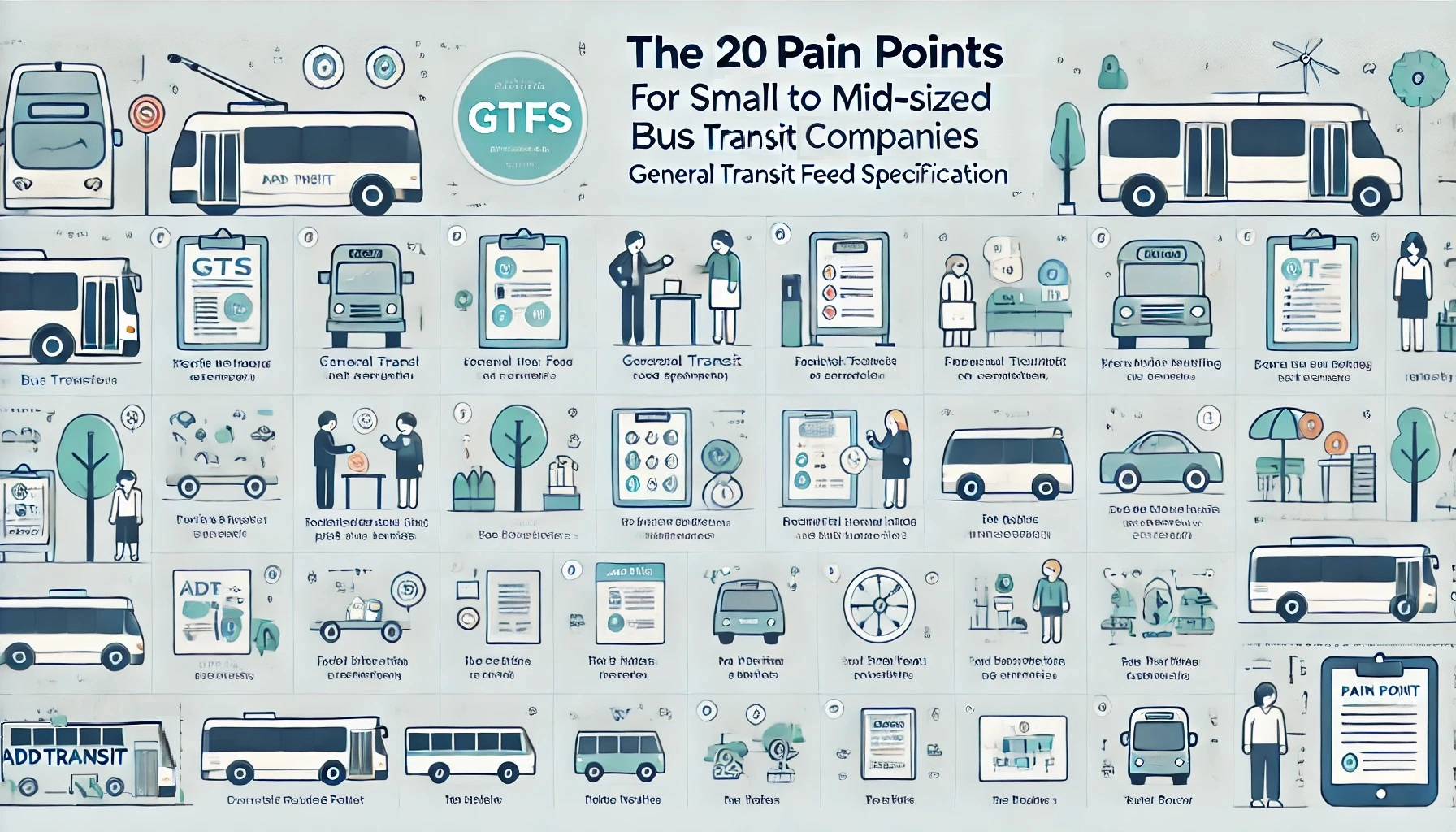
Graphic to article about twenty pain points for small to mid-sized bus & transit companies and how GTFS can help

The following table outlines 20 different pain points that small to mid-sized bus and coach operators experience in running and marketing their business and outlines how GTFS can help.

# Pain How GTFS Can Help
1 Inconsistent schedule information GTFS can provide accurate, standardized schedules for journey planners, ensuring consistency.
2 Difficulty in reaching more passengers GTFS data enables integration with popular journey planner apps like Google Maps, reaching a wider audience.
3 Poor route visibility GTFS allows routes to appear in online maps, improving route visibility for passengers.
4 Lack of real-time service updates Implement GTFS-RT (real-time extension) to provide real-time vehicle locations and delays.
5 Limited marketing resources Leveraging GTFS data in free journey planners reduces the need for traditional advertising.
6 Complexity in updating route changes GTFS simplifies the process of updating schedules and routes across multiple platforms.
7 High operating costs GTFS data analysis can identify underutilized routes, helping optimize operations.
8 Challenges in planning route expansions GTFS can be used to analyze passenger demand and optimize new route planning.
9 Poor service reliability due to traffic GTFS-RT can help by informing passengers of delays and updating journey times dynamically.
10 Difficulty in adapting schedules seasonally GTFS makes it easy to create seasonal variations in schedules and service levels.
11 Struggles with customer satisfaction Accurate GTFS data helps ensure passengers have reliable schedule information.
12 Regulatory compliance with data reporting GTFS formats may meet some local reporting requirements, reducing administrative workload.
13 Trouble integrating fare information GTFS supports fare information integration, making fare details accessible in journey planners.
14 Lack of data for decision-making Analyzing GTFS data can provide insights into route performance and passenger demand.
15 Inability to attract new customers Integrating GTFS data with trip planners can attract tech-savvy passengers.
16 Difficulty in handling service disruptions GTFS-RT can manage service alerts, notifying passengers of disruptions.
17 Limited options for providing ADA-compliant info GTFS allows encoding accessibility details like wheelchair access, improving compliance.
18 Unclear communication with passengers GTFS-RT service alerts can provide up-to-date notifications to passengers.
19 Inefficient route planning GTFS analysis can identify peak usage times, allowing for better route adjustments.
20 Fragmented passenger feedback Use GTFS data integration to analyze trip completion rates and identify areas for improvement.

Transform Pain Points into Success with AddTransit!

Tired of facing the same operational issues? AddTransit offers tailored solutions using GTFS, real-time tracking, and online ticketing to help your transit service overcome common challenges. Don’t let these pain points hold back your business—join today and see how our platform can streamline your operations and enhance your service.

Get Started with AddTransit Now

WordPress Journey Planner

We’ve made it easy for you to add a journey planner to your WordPress website.  Help your customers, increase patronage and reduce support costs by allowing potential passengers/visitors to “self serve”.

Here’s the Three easy steps.
1) Go to the WordPress page/post where you want to add the journey planner
2) Click on “Text”
3) Copy and Paste the following code where you want the journey planner to appear

<object data=”https://addtransit.com/journey-planner.php” width=”300″ height=”520″></object>

You’ll then get a Journey Planner added to the page, just like the one below.

Have a great day!